


Product Spotlight
Build promotional creative around a product image.
Create, schedule, personalize and distribute social content from one place. Bring your team into the workflow with Journeys, subscriber groups, individual links and images, and personal videos all using our patent-pending Authentic AI Distribution.
Create your content, share with your people, and keep your brand showing up. Explore our features from content creation to publishing personal videos with OnCue.
Give your subscribers something worth saying—and a simple way to say it. Prepare the idea and script on the web. They review and edit the script, record on their phones, and approve the video before publishing.
Create an OnCue with a title, filming suggestion, opening hook and script, then choose the subscribers who should receive it.
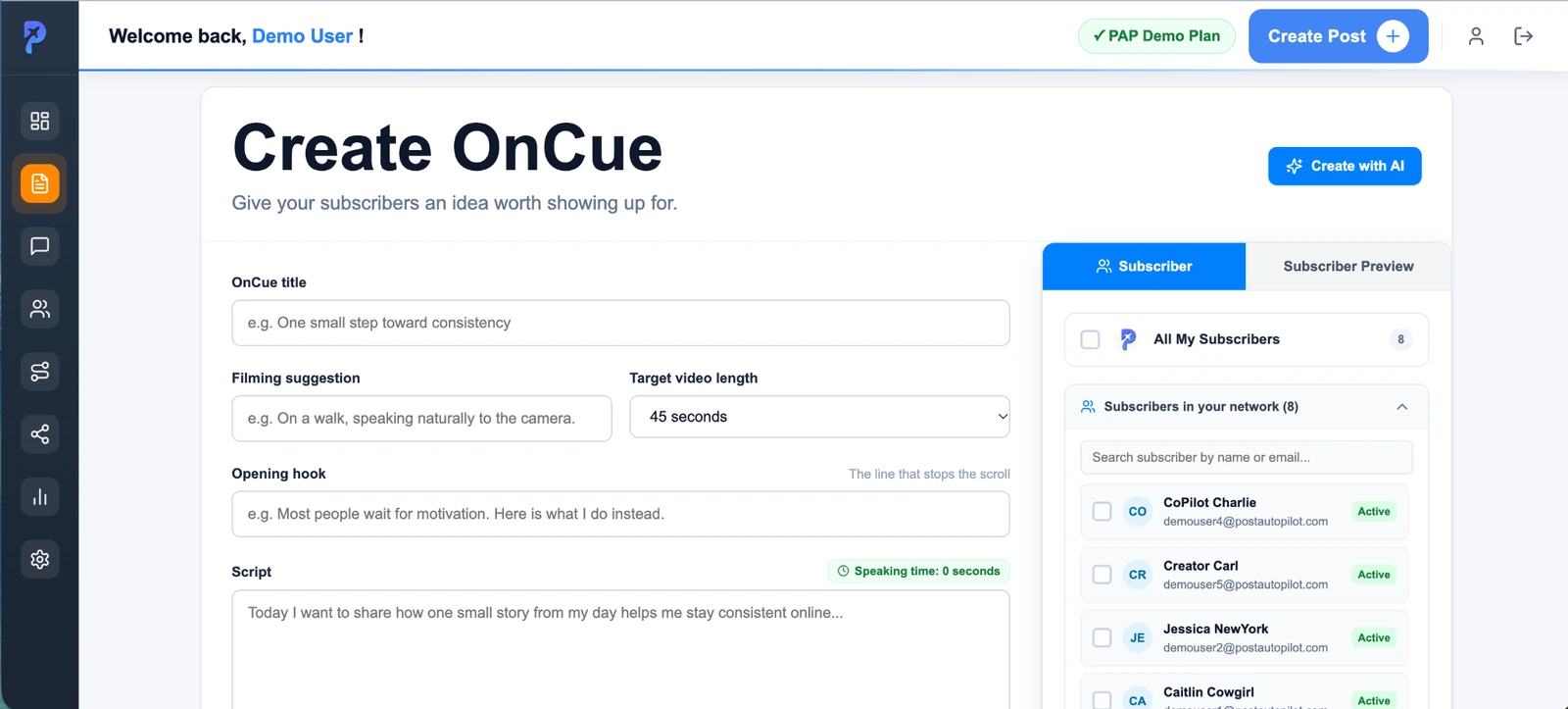
Subscribers review and edit the script, record on their phones, approve the video, and publish to the social media platforms they choose.
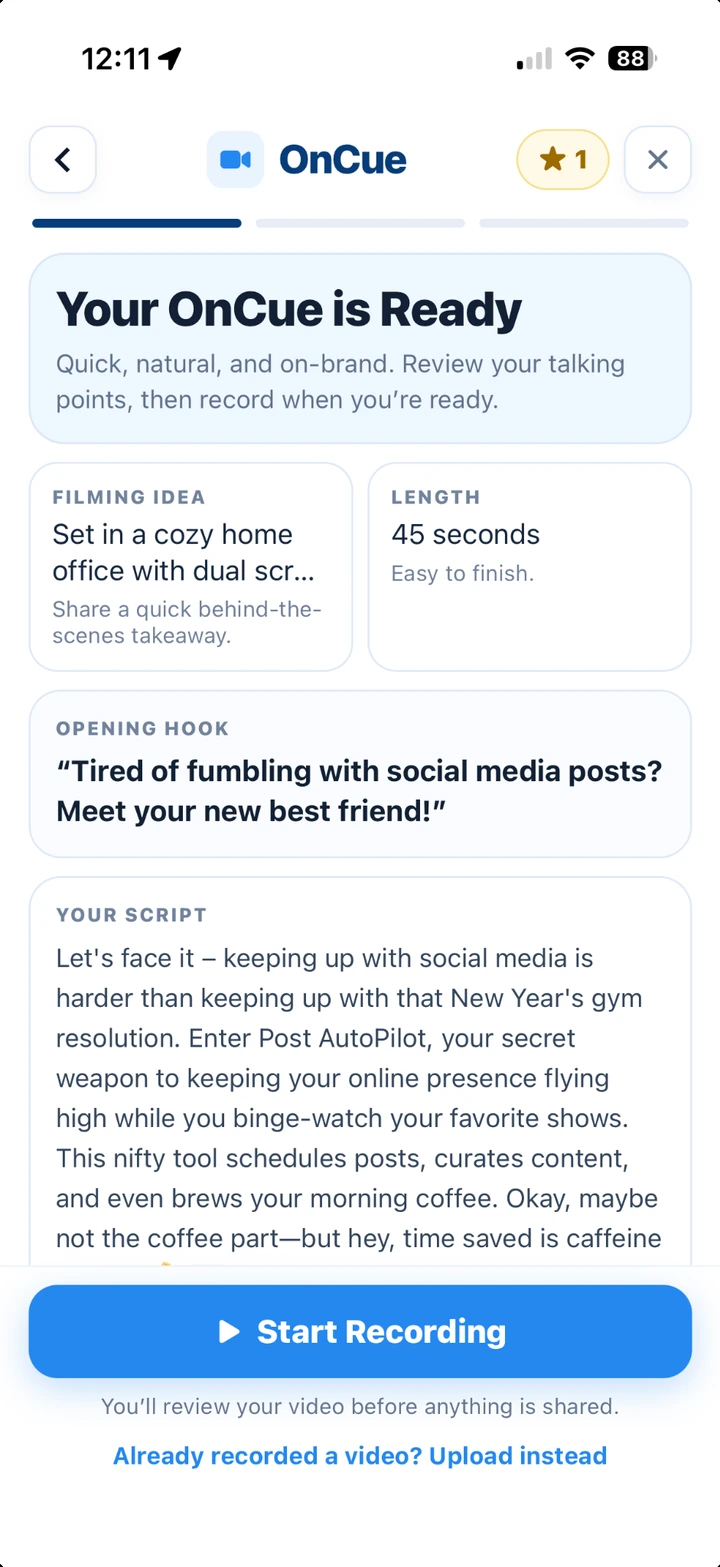
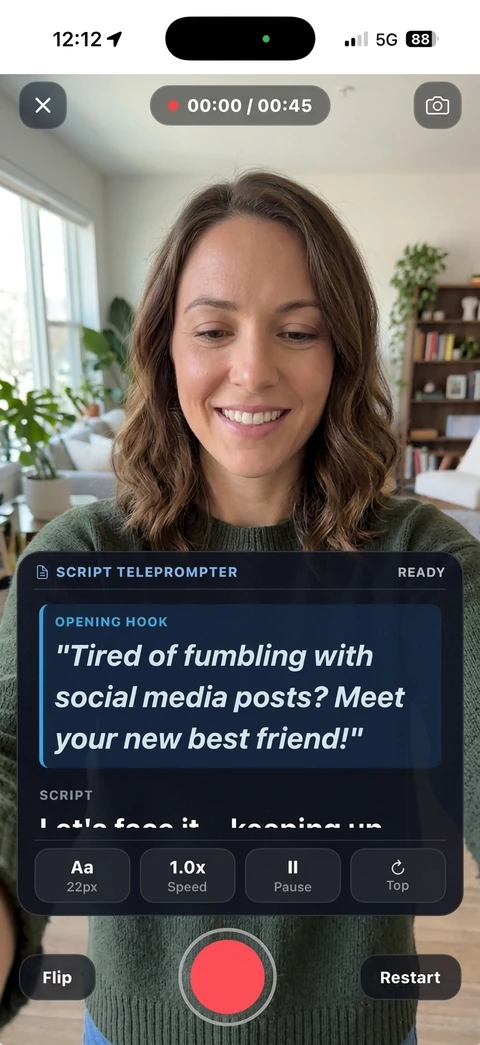
OnCue is not a live broadcast. Your subscribers can review their videos before anything is shared.
Go from brand assets to a week of content, with more than one way to tell the story. Build your brand profile, generate posts and creative, then review your content before it goes out.
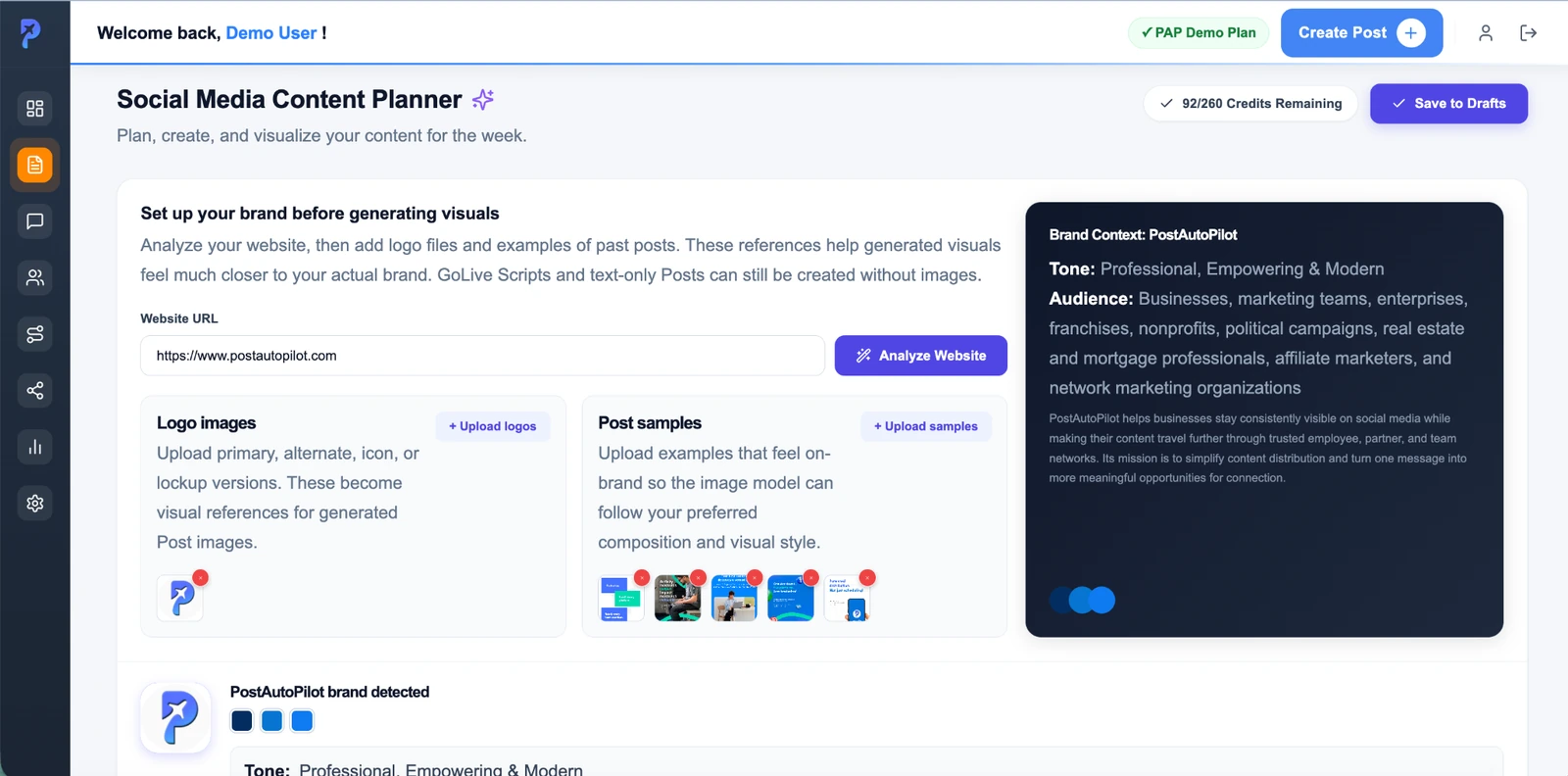
Choose the format that fits the idea—from images and infographics to slideshow videos and motion graphics.
Build promotional creative around a product image.
Turn a campaign idea into a branded visual.
Explain a statistic, process or key message visually.
Turn a selection of images into a short video.
Bring your message to life with animated visuals.
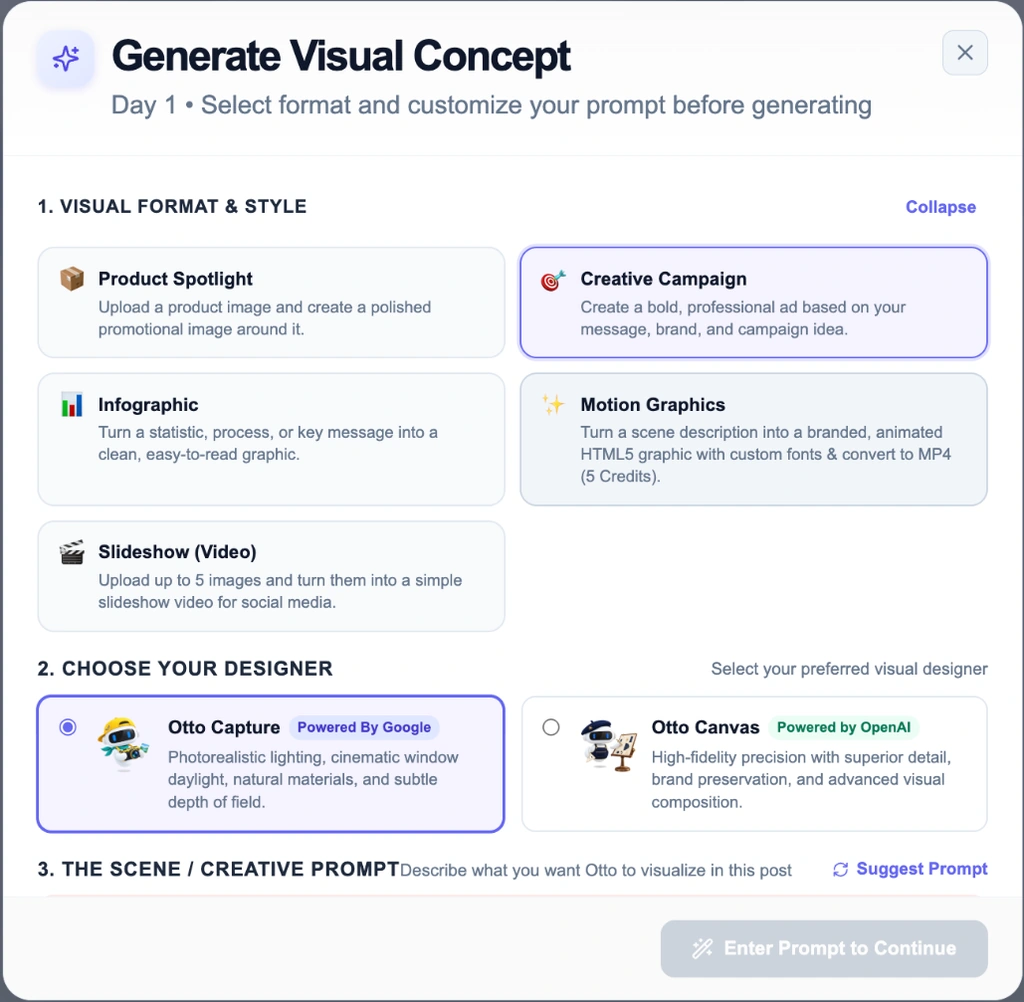
Review generated wording and visuals for accuracy and fit before publishing.
Create polished content, personalize the wording, plan your schedule, and choose how each connected account publishes.
We look at your website to learn your brand’s style, then adapt your draft for each platform with one click inside the editor. Your core message stays the same, but the tone, length and style fit the platform—with more control over the result.
Turn Authentic AI off when your review or compliance process requires the original wording. Your organization remains responsible for reviewing and approving its content.
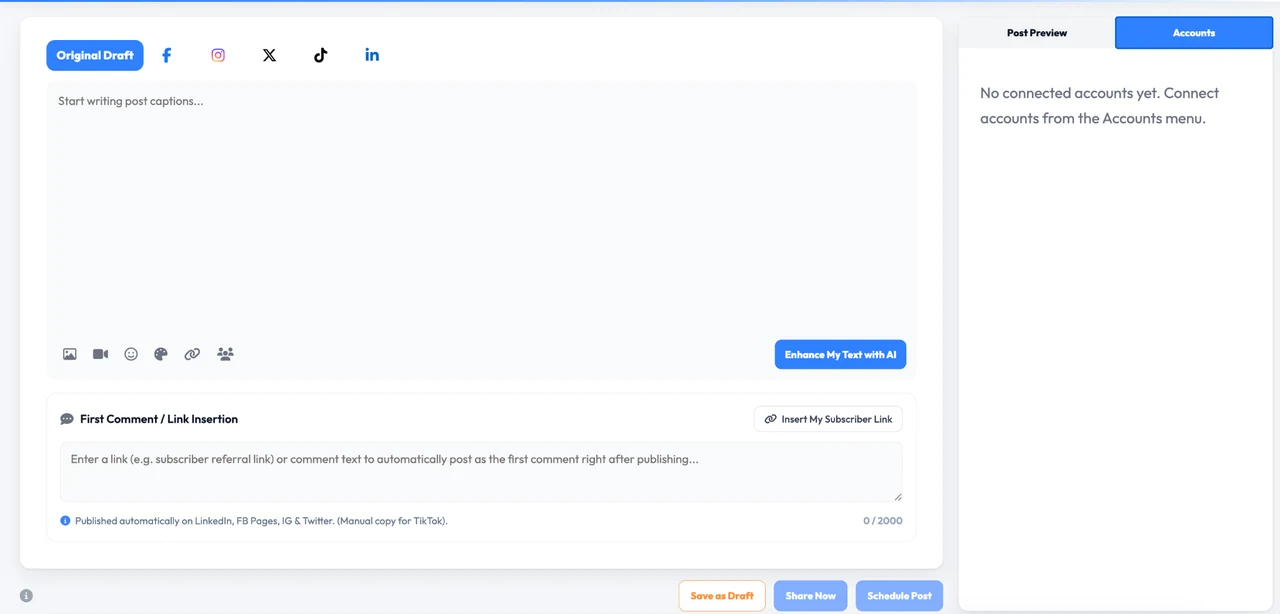
Draft one source post, work across platform-specific versions, add images or video, enhance the text with AI, and decide exactly where the content should go.
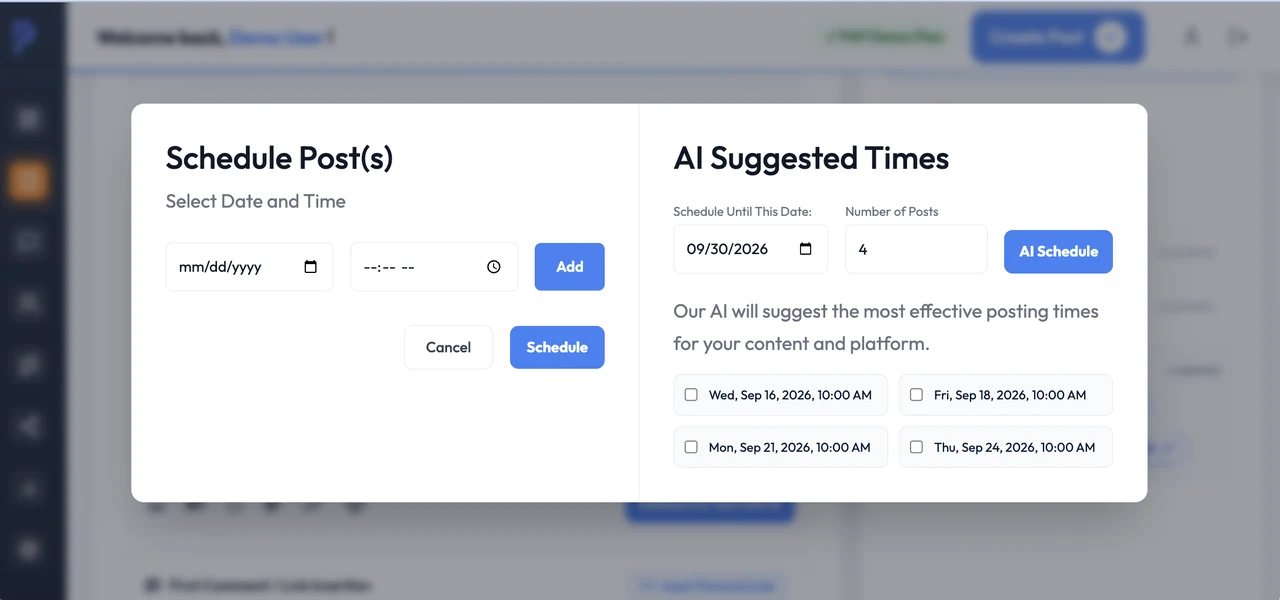
Set your publishing schedule manually, use AI Suggested Times, or use randomized timing to make your team's posts look more authentic. Keep campaigns moving without rebuilding your calendar one post at a time.
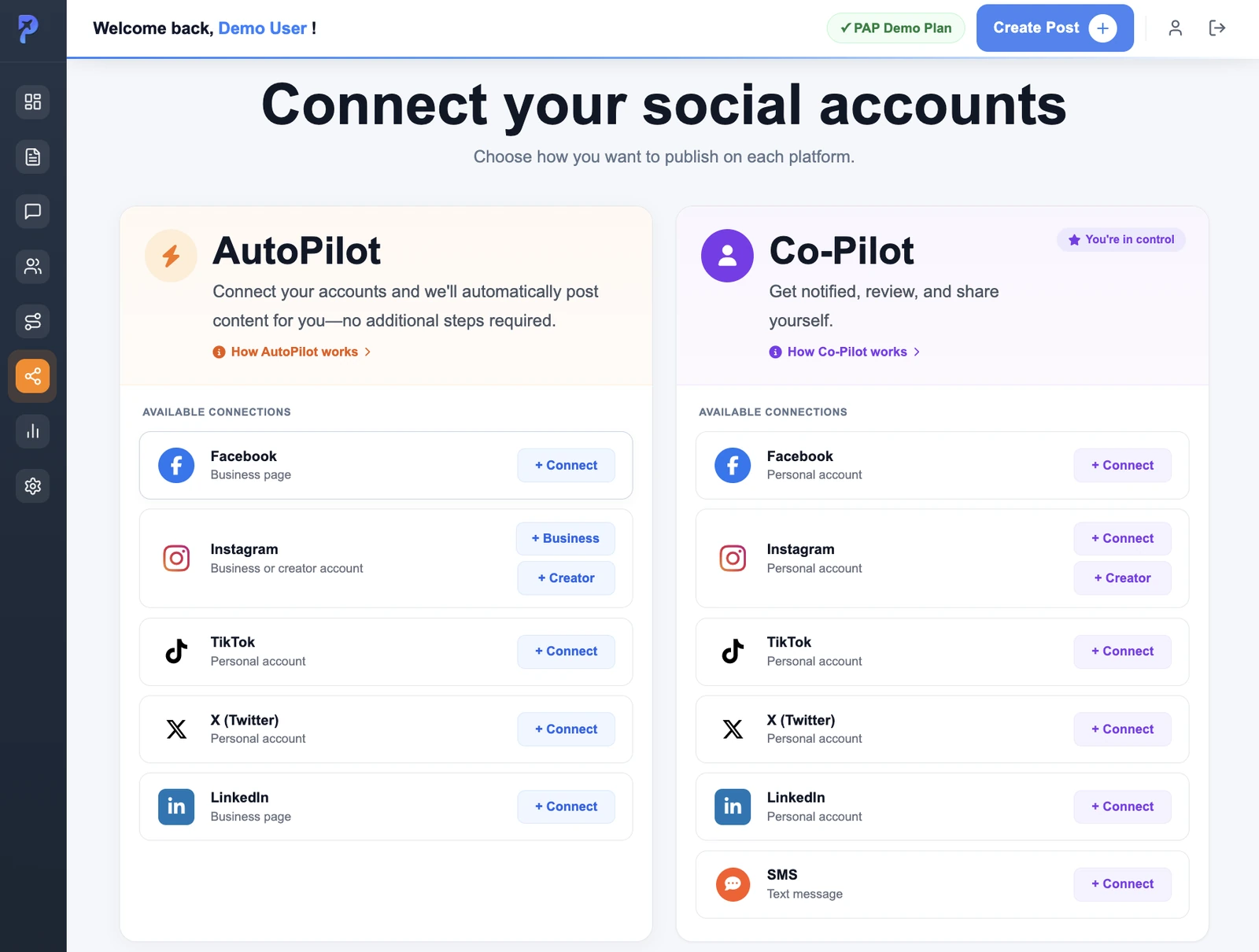
Connect the accounts you use, then choose the publishing workflow that fits. AutoPilot handles automatic posting on supported accounts. CoPilot keeps review and sharing in the subscriber’s hands.
Keep subscribers up to speed on the go. Review and share prepared posts with CoPilot, record OnCues, read messages and choose Journeys—all from the subscriber app.
Explore the subscriber experience.
iPhone screens shown. The subscriber app is available for iOS and Android.
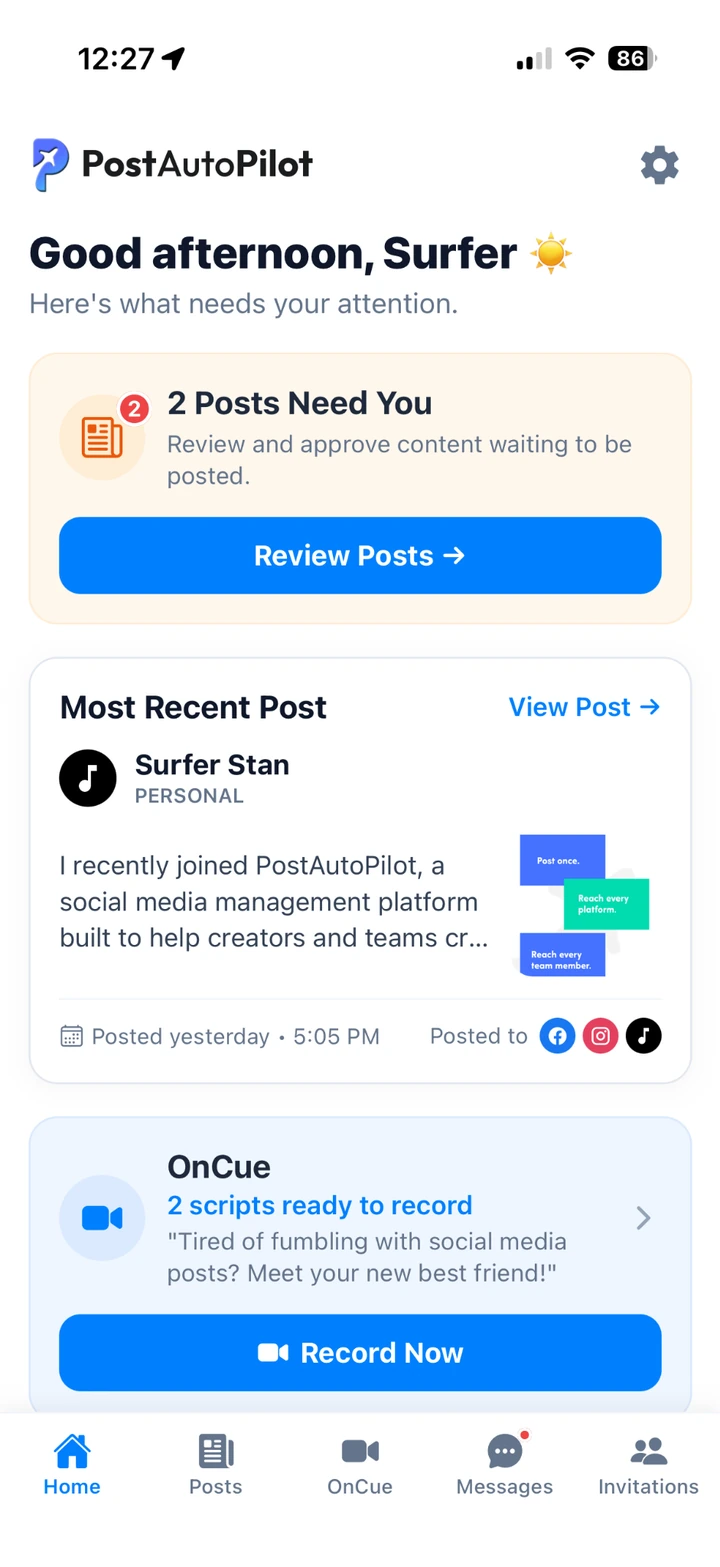
See posts that need approval, your most recent post and OnCues that are ready to record.
Explore publishing options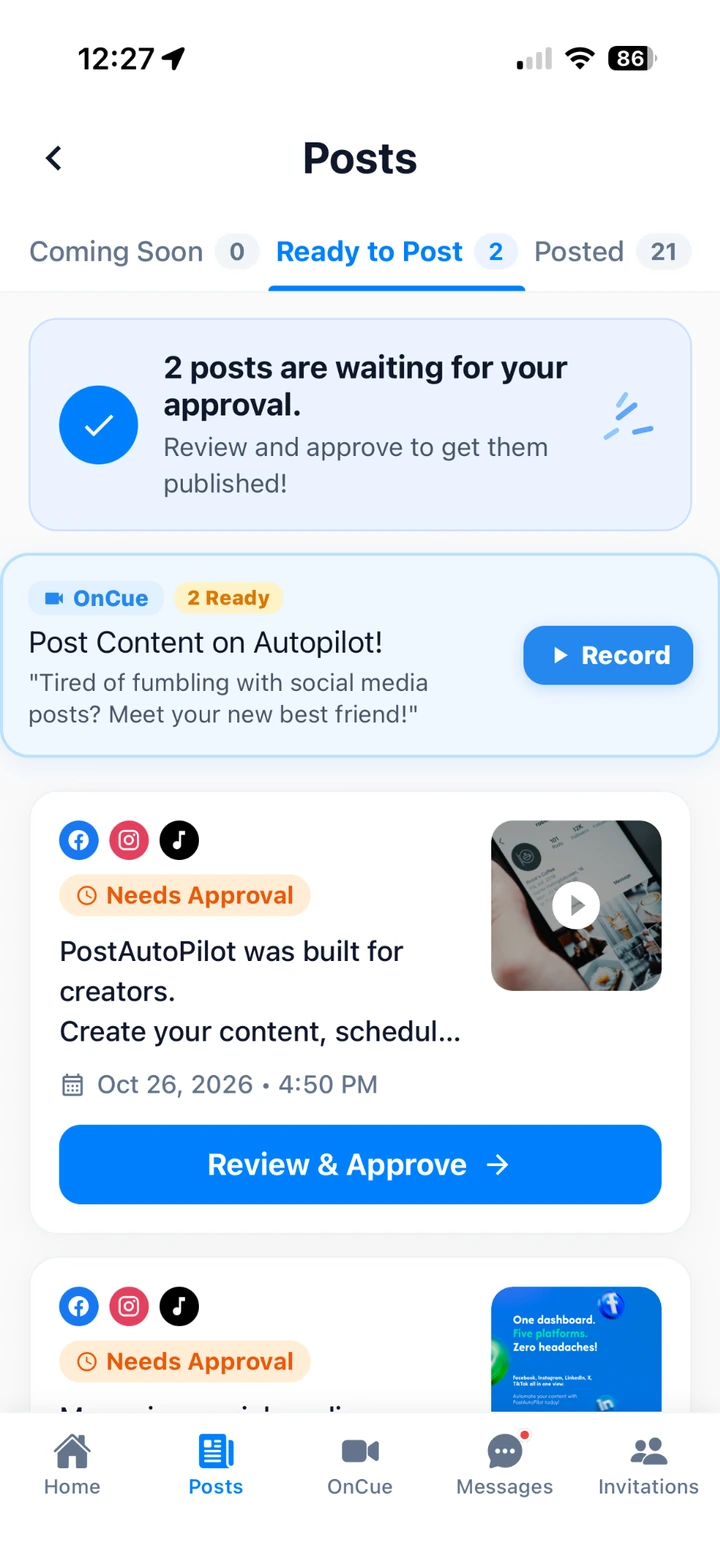
Review prepared content, see what is coming soon and keep track of posts already shared. CoPilot gives you a hands-on publishing workflow.
Explore publishing optionsReview and edit a prepared script, record on your phone with the teleprompter, then approve your video and publish to the social media platforms you choose.
Explore OnCue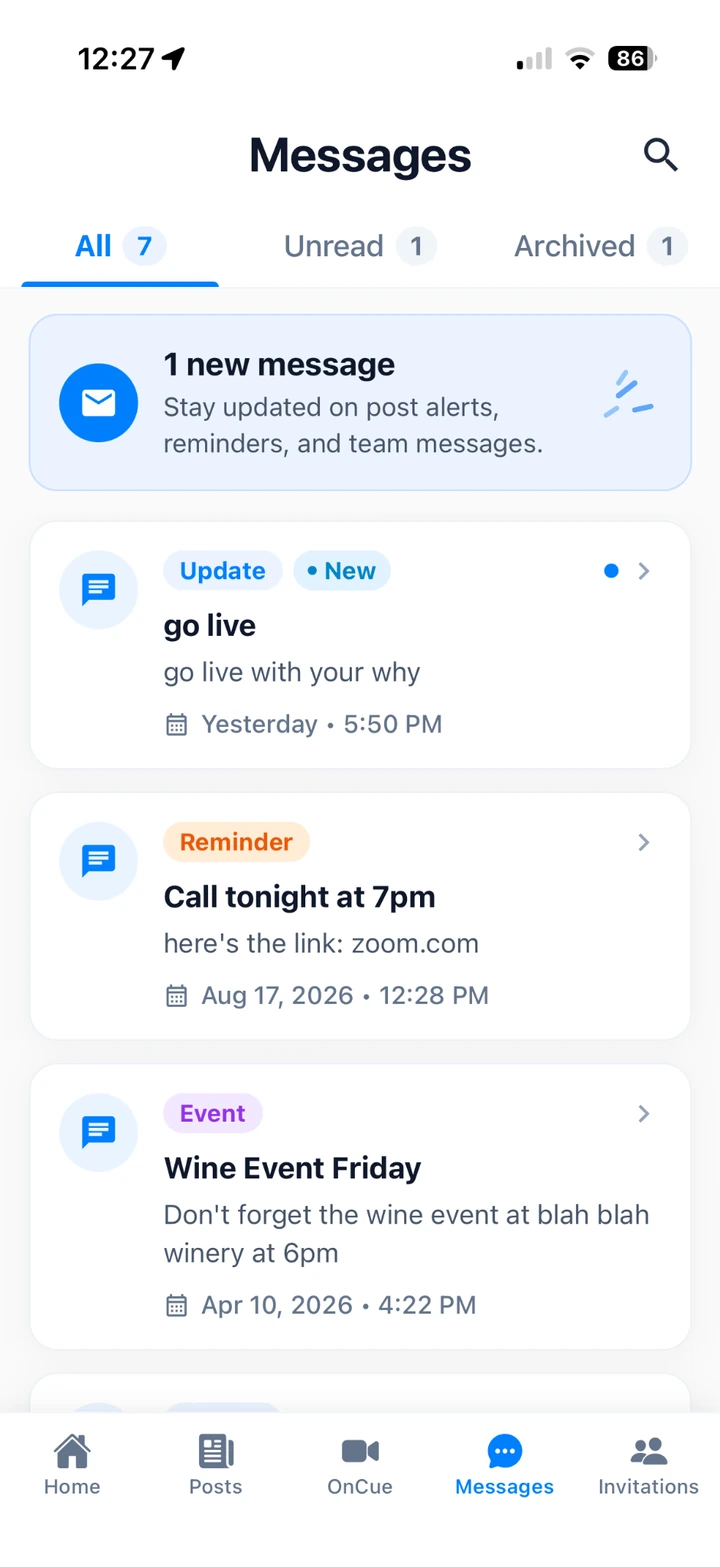
Keep up with updates, reminders and team messages wherever the day takes you.
Explore publishing options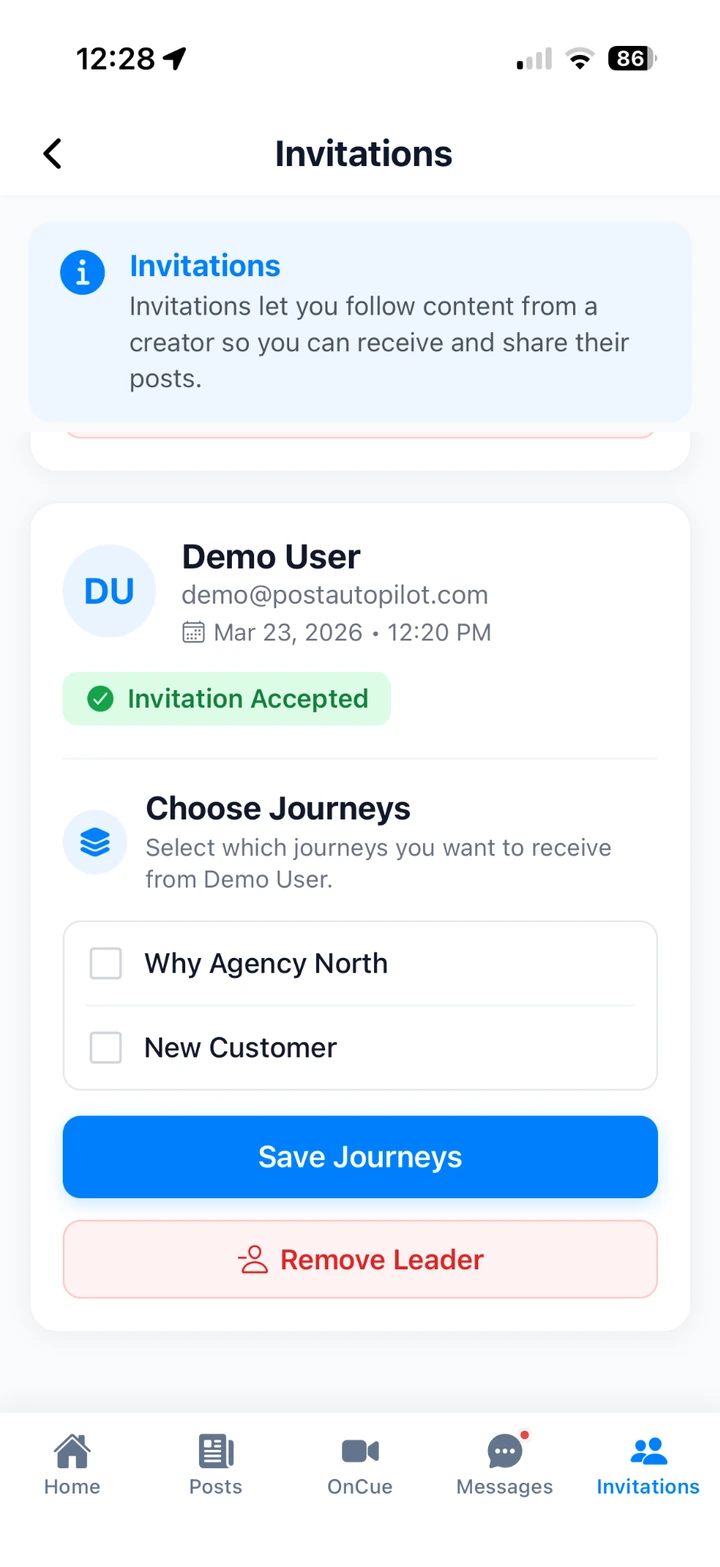
Accept creator invitations and choose the Journeys you want to receive from them.
Explore publishing optionsInvite and organize subscribers, distribute prepared content, introduce your story through Journeys, and keep everyone informed.
Invite individuals or upload a list in bulk, see who has accepted, view connected accounts and create subscriber groups for targeted distribution.
PostAutoPilot’s patent-pending Authentic AI Distribution workflow lets you create content centrally and distribute it through participating subscribers and their connected accounts. Keep one source message while making it easier for the people in your network to share.
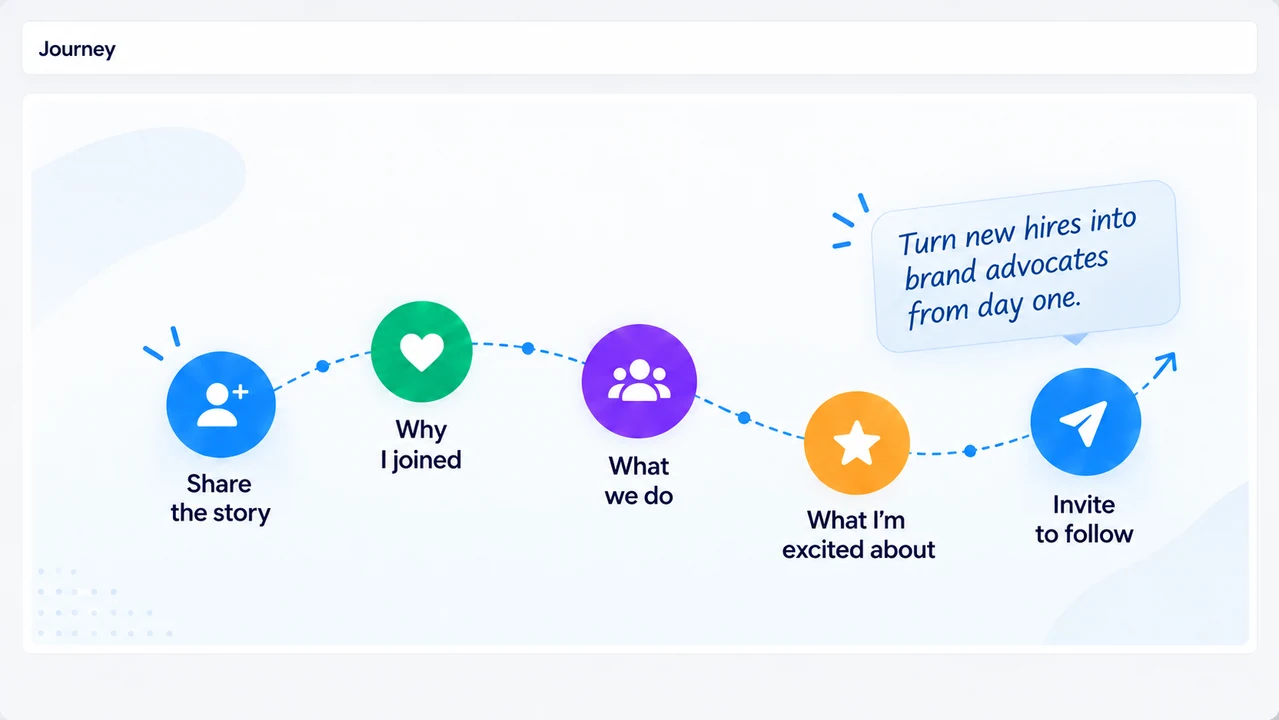
Journeys are curated sequences of social posts and messages that help each new team member share your organization’s origin story, why they joined and how they can help. Onboard the person and introduce their social community to your organization over time, without rebuilding the sequence for every new subscriber.
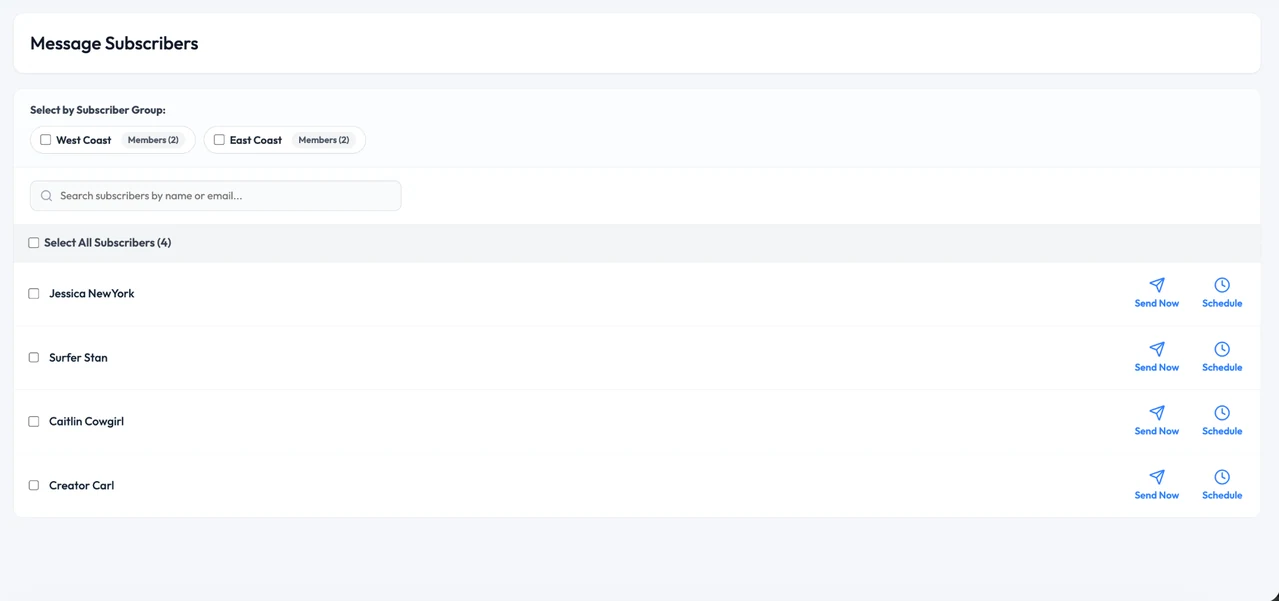
Choose subscriber groups or individuals, then send updates immediately or schedule them for later. Keep launch details, reminders and team communication in the same platform as the content.
Sharing by text? Content sharing via text is available on mobile now. Text messaging as a distribution channel is a separate feature, coming soon and expected Q4 2026.
Keep your creative workflow connected while giving each subscriber their own link, image, and path back to the people they reach.
Personalize distributed posts for each subscriber with their own destination link and, when appropriate, a unique image. This helps the content feel more personal while directing engagement and business back to the individual sharing it.
Use the Canva integration to create or work with branded visual assets without treating design and distribution as disconnected steps. Build the visual, bring it into your PostAutoPilot workflow, then publish or distribute it alongside your campaign copy.
Review available performance data and distributed activity, then bring useful campaigns back into your content workflow.
Advanced Analytics is in Public Preview. Review available platform and post-level metrics, subscriber participation and network performance to understand how your content is being shared. Available metrics depend on the connected accounts and data supplied by each platform.
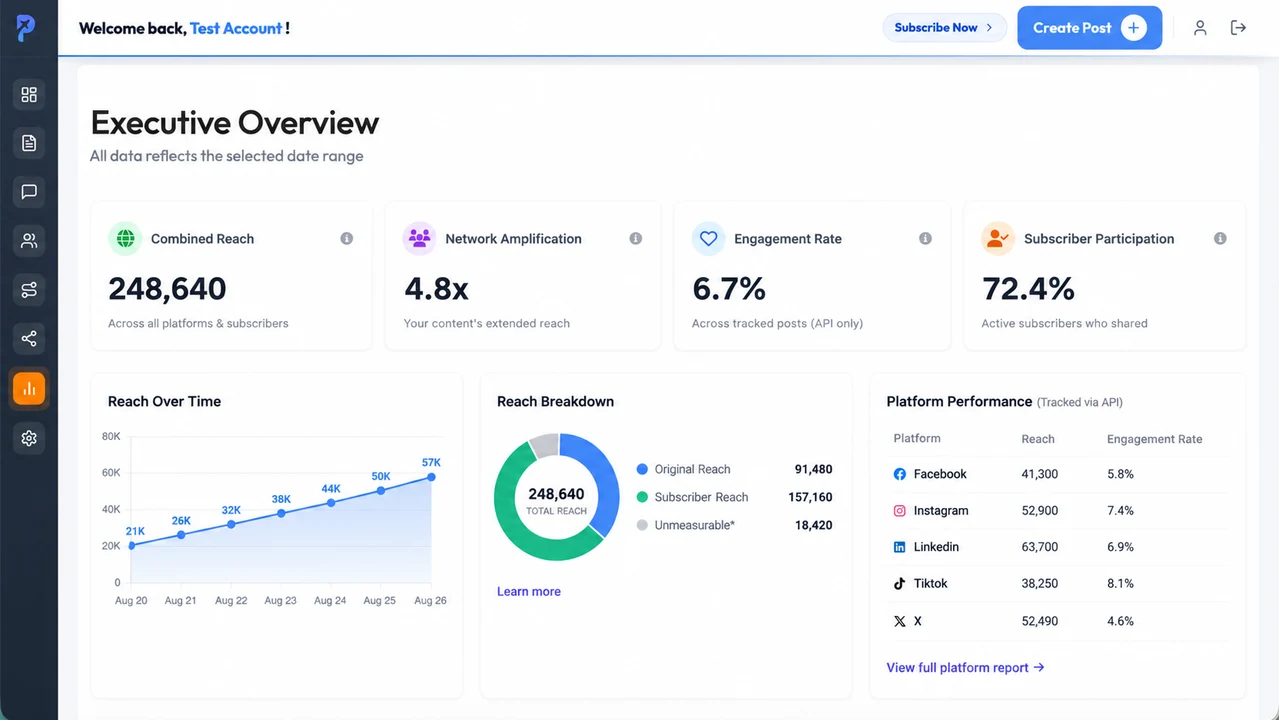
Product screen example. Displayed values are illustrative, not verified customer results.
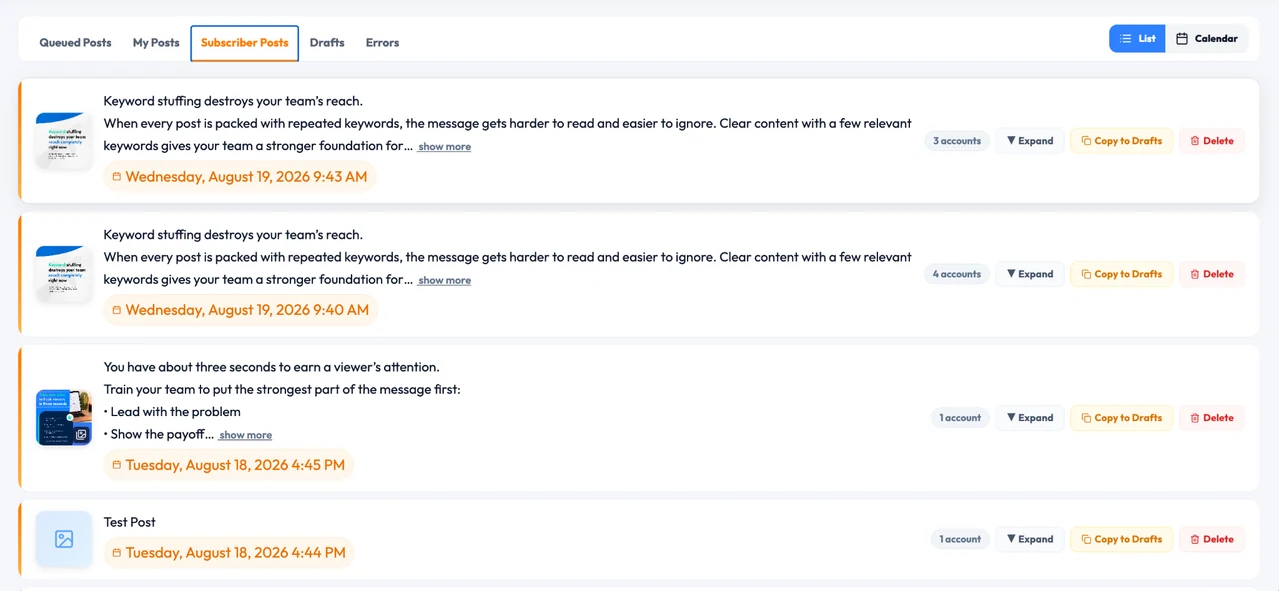
Subscriber Posts gives you a practical view into what has been distributed, when it was scheduled, and how many connected accounts were involved. Copy useful campaigns back to drafts and reuse what works.
Connect personal, creator and business accounts where supported. Choose AutoPilot for automatic publishing or CoPilot for subscriber-controlled review and sharing. Available connections and publishing options depend on the platform and account type.
PostAutoPilot combines the tools you need to publish for yourself with the infrastructure to activate a team, subscriber network or distributed organization.
Create and enhance copy, add media and prepare campaigns in one place.
Explore Content Creation →Improve source copy and personalize content, with English and Spanish, creator-defined rules, and the option to disable rewrites.
Explore Authentic AI →Publish through your own channels and the people who subscribe to you.
Explore Distribution →Understand social performance and network participation. Advanced Analytics is in Public Preview.
Explore Analytics →Review plan access and the status of capabilities offered in preview or planned for a future release.
Build a brand profile and plan a week of posts with images, short video and motion graphics.
Available in Public Preview; metrics depend on connected account and platform data.
A separate text messaging distribution channel; not the mobile sharing workflow available today.
Planned API access for integrating with PostAutoPilot. Confirm launch status and published documentation before implementation.
Expected release timing may change. Feature access can depend on your plan.
Answers to the questions teams commonly ask when evaluating PostAutoPilot.
Social media automation software helps teams plan, schedule, publish and manage repetitive social media work from one place. PostAutoPilot goes further by distributing content through subscribers, employees, affiliates, agents, loan officers and other connected team members.
A traditional social media scheduler publishes to accounts your organization controls. PostAutoPilot can also distribute approved content through a subscriber network, personalize the copy with Authentic AI, organize people into groups, run Journeys, send messages and measure performance.
AutoPilot publishes directly to supported connected LinkedIn Personal and Business, X, TikTok, Facebook Business, and Instagram Business or Creator accounts. Personal Facebook and Instagram accounts use the PostAutoPilot mobile sharing workflow. Team members connect their accounts and grant the required permissions.
Yes. Distributed content can be adapted to an individual subscriber's voice with Authentic AI. When a business model calls for it, posts can also use a subscriber-specific web link and image so engagement and business can flow back to that person.
Yes. Advanced Analytics is in Public Preview. It provides visibility into available social performance, post-level metrics and subscriber participation. Metric availability depends on the connected accounts and platform data.
Content Planner generates a week's worth of social media posts, including images. It is in Public Preview. Use your website, uploaded logos and post samples to provide brand context, then review the generated content before publishing.
Content sharing via text is available in the PostAutoPilot mobile app now. Text messaging as a distribution channel is coming soon, expected Q4 2026. These are different workflows; the expected release date may change.
API access is coming soon, expected Q4 2026. It is not presented as a currently available integration. Confirm release status, documentation and access before planning an implementation.
Explore the tools that fit your organization, your people and your publishing workflow.